
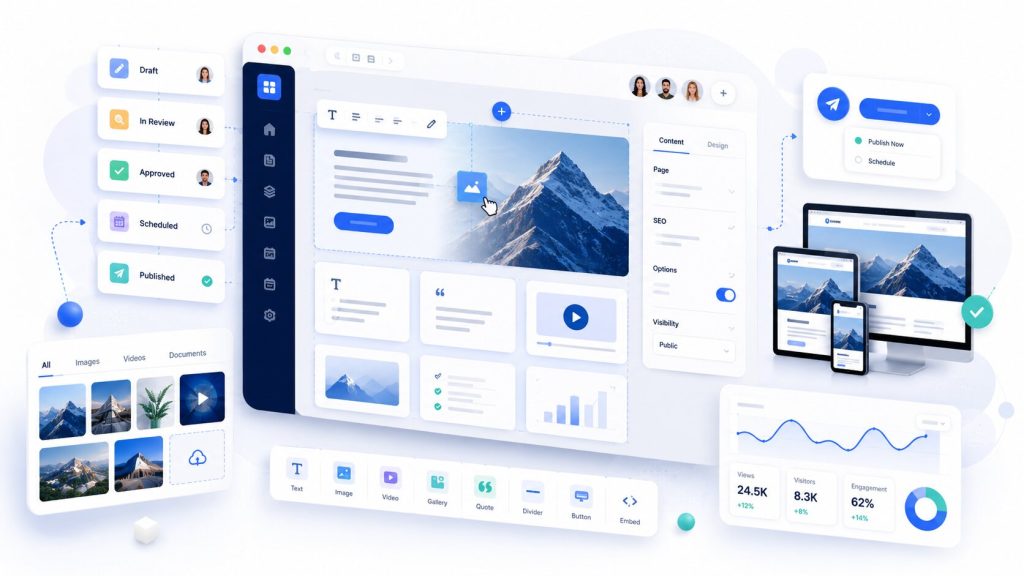
Choosing an enterprise CMS is rarely about identifying the platform with the longest feature list.
The right content management system depends on how your organisation operates: how many websites and brands you manage, how content is created and approved, what your developers need to integrate, how much autonomy marketing teams require, where your data must live and how your digital estate is expected to evolve over the next three to five years.
For 2026, our shortlist of the best enterprise CMS platforms is:
- Adobe Experience Manager: best for large global enterprises and organisations already invested in the Adobe ecosystem
- HubSpot Content Hub Enterprise: best for CRM and marketing-led organisations
- Sitecore: best for personalisation-led enterprise digital experiences
- Contentful: best for headless and omnichannel content delivery
- WordPress with enterprise-grade infrastructure and security: best for flexible, open-source enterprise publishing and web platforms
- Forrit: best for security-conscious and regulated organisations operating within the Microsoft Azure ecosystem
Bonus: Bespoke enterprise CMS: best for organisations whose requirements genuinely cannot be served efficiently by an established CMS, built on a mature application framework such as Laravel and delivered as a traditional, hybrid or headless platform.
There is no single CMS we would recommend to every enterprise.
A platform designed for a multinational organisation running dozens of regulated websites can be unnecessarily complex for a marketing-led business managing three. Equally, a technically elegant headless CMS can create additional operational friction if every campaign or landing-page change becomes dependent on development resources.
This guide focuses specifically on enterprise web CMS and digital experience platforms used to manage websites, applications and omnichannel digital content. It does not cover traditional enterprise content management, or ECM, platforms primarily designed for document and records management.
TL;DR: Which enterprise CMS should you choose?
There is no single “best” enterprise CMS. The right choice depends on your architecture, operating model, security requirements, marketing autonomy and long-term cost.
- Adobe Experience Manager: best for large global enterprises already invested in the Adobe ecosystem.
- HubSpot Content Hub Enterprise: best for marketing-led organisations that want CMS, CRM, automation and customer data closely connected.
- Sitecore: best for enterprises where personalisation and digital experience orchestration are central to the strategy.
- Contentful: best for headless and composable architectures where structured content needs to serve multiple websites, apps and channels.
- WordPress with bespoke enterprise infrastructure and security: best for organisations that want open-source flexibility, strong editorial usability and full control over the platform.
- Forrit: best for security-conscious and regulated organisations, particularly those operating within the Microsoft Azure ecosystem.
- Bonus: Bespoke CMS: worth considering when your business processes, workflows or application requirements are so specific that adapting an off-the-shelf CMS would create more complexity than building on a mature framework such as Laravel.
For most organisations, the decision should start with business requirements and operating model, not the CMS vendor shortlist. Define who will manage content, what integrations and security controls are required, how much autonomy marketing needs, and whether traditional, headless, hybrid or bespoke architecture is the best fit before comparing products.
The best enterprise CMS platforms at a glance
| Platform | Best for | Architecture | Marketing autonomy | Developer flexibility | Implementation complexity | Relative TCO |
|---|---|---|---|---|---|---|
| Adobe Experience Manager | Large global enterprises and Adobe ecosystems | Hybrid / composable | High | High | Very high | Very high |
| HubSpot Content Hub Enterprise | CRM and marketing-led organisations | Managed SaaS | Very high | Medium | Medium | Medium |
| Sitecore | Personalisation-led enterprise digital experience | SaaS / composable | High | High | Very high | Very high |
| Contentful | Headless and omnichannel content delivery | Headless / composable | Medium-high | Very high | High | High |
| WordPress, enterprise architecture | Content-heavy sites requiring open-source flexibility | Traditional / hybrid / headless | Very high | Very high | Medium-high | Medium |
| Forrit | Regulated and security-conscious Azure organisations | Decoupled / cloud-native | High | High | Medium-high | Medium-high |
| Bonus: Bespoke CMS | Highly specific business requirements | Any | Custom | Very high | Very high | Variable |
The important distinction is that this is not an absolute ranking.
Enterprise CMS selection is heavily dependent on organisational fit, operating model and architecture.
What should you look for in an enterprise CMS?
Enterprise CMS evaluations often become large procurement spreadsheets containing hundreds of features.
That approach can obscure the characteristics that actually determine whether a platform will work well after launch.
We would prioritise seven areas.
Architecture and scalability
The platform should be able to support growth in:
- traffic;
- websites;
- brands;
- languages;
- markets;
- editors;
- integrations;
- content volume;
- and customer-facing channels.
Technical scalability matters, but organisational scalability matters just as much.
A platform can handle millions of page views and still become difficult to operate if every regional team builds content differently.
Content operations and governance
Enterprise content typically requires more than publish and unpublish.
Look for:
- granular permissions;
- approval workflows;
- version history;
- auditability;
- localisation workflows;
- content ownership;
- shared components;
- publishing controls;
- and separation between global and local content.
Marketing autonomy
A technically sophisticated CMS is not automatically an operationally good CMS.
Ask how frequently marketing will need developers after launch.
Can non-technical users:
- create landing pages;
- compose layouts;
- manage forms;
- change navigation;
- manage SEO metadata;
- publish campaign content;
- create regional variations;
- and reuse approved components?
The answer has a direct impact on ongoing cost and speed.
Developer experience and vendor dependency
Enterprise CMSs do not exist in isolation.
They need to work with systems such as:
- CRM;
- ERP;
- DAM;
- PIM;
- ecommerce;
- analytics;
- consent management;
- search;
- personalisation;
- identity;
- and internal APIs.
At the same time, organisations should understand how difficult the platform would eventually be to replace.
Proprietary templating languages, specialised development skills and vendor-specific infrastructure can all increase switching costs.
Security, compliance and infrastructure
Security should be evaluated as an architectural discipline rather than a checklist of CMS features.
Consider:
- authentication;
- SSO;
- permissions;
- audit logs;
- patching;
- vulnerability management;
- infrastructure ownership;
- application firewalls;
- backups;
- disaster recovery;
- deployment controls;
- data residency;
- and third-party dependencies.
This area becomes particularly important when comparing SaaS CMSs with open-source platforms such as WordPress.
SEO, GEO and content discoverability
Enterprise CMSs should provide control over more than title tags.
Teams need reliable management of:
- metadata;
- redirects;
- canonical URLs;
- XML sitemaps;
- schema;
- URL structures;
- robots directives;
- internal linking;
- structured content;
- rendering;
- and performance.
Increasingly, content also needs to be understandable outside the conventional webpage.
Search engines, answer engines, AI assistants and internal agents all benefit from consistent semantic structure.
AI and automation
AI should now be part of CMS evaluation, but it should not dominate it.
Look beyond content-generation buttons.
The more useful capabilities increasingly include:
- automated tagging;
- translation;
- metadata generation;
- content transformation;
- workflow automation;
- semantic search;
- personalisation;
- quality controls;
- content migration;
- and agent access.
Governance becomes equally important: what can AI change, who approves it and how are actions audited?
The 6 best enterprise CMS platforms in 2026
1. Adobe Experience Manager
Best for: large global organisations and enterprises already using Adobe Experience Cloud
Adobe Experience Manager remains one of the benchmark enterprise CMS and digital experience platforms.
Its strength is not simply website publishing.
AEM is particularly compelling where content management forms part of a wider Adobe technology estate involving digital asset management, personalisation, analytics and customer experience.
Where Adobe Experience Manager excels
AEM is particularly strong for organisations with:
- large global digital estates;
- multiple brands and markets;
- complex governance;
- sophisticated DAM requirements;
- high levels of personalisation;
- substantial internal technical capability;
- and existing investment in Adobe Experience Cloud.
It can provide a highly integrated enterprise ecosystem rather than a standalone CMS.
Where AEM falls short
The primary drawback is complexity.
AEM can require significant:
- implementation effort;
- specialist development;
- infrastructure and platform knowledge;
- partner dependency;
- organisational maturity;
- and ongoing investment.
For a relatively conventional collection of corporate websites, this can become disproportionate.
Adobe Experience Manager may not be right if…
- you operate a limited number of relatively straightforward sites;
- you do not use the broader Adobe ecosystem;
- you want to minimise specialist platform dependency;
- or lowering long-term technical ownership cost is a major objective.
Our verdict
AEM remains one of the strongest enterprise options where the organisation genuinely requires its scale and ecosystem.
It should not be selected simply because the company is large.
The strongest AEM business case exists when the wider Adobe platform is strategically relevant.
2. HubSpot Content Hub Enterprise
Best for: marketing-led organisations where CMS, CRM and customer data need to work closely together
HubSpot Content Hub takes a fundamentally different approach from AEM, Sitecore or Contentful.
Its main strength is operational integration with the wider HubSpot platform.
For organisations already using HubSpot CRM, Marketing Hub, Sales Hub or Service Hub, the CMS can sit directly inside the same customer-data ecosystem rather than requiring a separate integration layer.
Where HubSpot excels
HubSpot is particularly attractive where:
- marketing owns the website;
- demand generation is a primary purpose of the site;
- CRM data should influence customer journeys;
- campaigns need to be launched quickly;
- forms and conversion paths are central;
- marketing automation is heavily used;
- and organisations want to limit the number of separate platforms they operate.
The result can be significantly lower operational friction.
Where HubSpot falls short
HubSpot is not as architecturally flexible as a dedicated composable CMS.
It may become restrictive where organisations require:
- deeply specialised content models;
- complex digital applications;
- unusually sophisticated front-end architecture;
- broad omnichannel content distribution;
- or complete infrastructure control.
There is also an ecosystem-dependency consideration.
The more content, CRM, automation and reporting are consolidated inside HubSpot, the more significant a future migration becomes.
HubSpot Content Hub may not be right if…
- your organisation wants a vendor-neutral composable stack;
- the website is only one output among many digital applications;
- you have very complex structured-content requirements;
- or HubSpot does not already play a meaningful role in your wider technology strategy.
Our verdict
HubSpot Content Hub Enterprise is one of the strongest choices for marketing-led enterprise organisations.
Its advantage is not that it offers greater technical flexibility than every alternative.
Its advantage is that it can eliminate the operational gap between content, customer data, marketing automation and conversion.
For many enterprises, that matters more.
3. Sitecore
Best for: sophisticated personalisation-led digital experiences
Sitecore belongs in the same strategic conversation as Adobe for organisations where the CMS forms part of a much wider digital-experience platform.
Its proposition increasingly centres on bringing content, customer data, personalisation and AI-driven experience delivery together.
Where Sitecore excels
Sitecore is particularly strong where organisations need:
- enterprise content management;
- multi-market publishing;
- personalisation;
- customer-data activation;
- experimentation;
- digital asset management;
- and composable digital-experience architecture.
It is especially relevant where personalised journeys are a strategic objective rather than a secondary marketing feature.
Where Sitecore falls short
Its breadth introduces complexity.
Sitecore generally requires:
- specialist implementation capability;
- significant architecture work;
- sophisticated content and data governance;
- and a business mature enough to use its broader functionality.
If the primary requirement is straightforward publishing or API-based content delivery, the organisation may be paying for capabilities it does not need.
Sitecore may not be right if…
- personalisation is a minor requirement;
- your content operation is relatively simple;
- implementation resources are limited;
- or you want a lightweight headless content layer rather than a broader digital experience ecosystem.
Our verdict
Sitecore is strongest where enterprise CMS selection is inseparable from personalisation and customer-experience strategy.
If you are comparing Sitecore and AEM, the decision should be driven by ecosystem, operating model and experience strategy rather than counting individual CMS features.
4. Contentful
Best for: enterprise headless architecture and omnichannel content delivery
Contentful is one of the best-established enterprise headless CMS platforms.
Rather than treating content primarily as pages, Contentful encourages organisations to manage it as structured, reusable information.
That distinction becomes valuable when the same content must serve multiple applications and channels.
Where Contentful excels
Contentful is particularly suitable for organisations building:
- several websites;
- mobile applications;
- ecommerce experiences;
- customer portals;
- product experiences;
- kiosks;
- or other digital channels
from a shared content layer.
Developers retain extensive control over front-end technology and deployment.
Where Contentful falls short
Headless architecture moves responsibility away from the CMS rather than eliminating it.
The organisation may still need to provide:
- front-end applications;
- hosting;
- deployment;
- preview systems;
- design systems;
- experimentation;
- analytics;
- and other supporting services.
That can be ideal for technically mature organisations but unnecessary for simpler marketing operations.
Contentful may not be right if…
- the requirement is primarily a conventional corporate website;
- marketing wants unrestricted visual page building;
- your organisation has limited engineering capability;
- or there is no compelling requirement for multi-channel structured content.
Our verdict
Contentful is one of the strongest options where the business genuinely needs content to function independently of presentation.
Headless should be selected because it solves an architectural problem, not because it is perceived as inherently more modern.
5. WordPress with bespoke enterprise security and infrastructure
Best for: organisations wanting open-source flexibility, excellent editorial usability and full control over their web platform
WordPress is often discussed in enterprise comparisons as though there are only two choices:
- conventional WordPress hosting; or
- WordPress VIP.
That is not the case.
WordPress itself is open-source software and can be deployed on a bespoke enterprise architecture with infrastructure, security controls, deployment processes and governance designed specifically for the organisation.
This is materially different from placing a standard WordPress installation on ordinary shared or managed hosting.
Where enterprise WordPress excels
WordPress is particularly strong where the organisation values:
- a mature open-source ecosystem;
- excellent editorial familiarity;
- flexible content creation;
- rapid campaign delivery;
- custom development;
- large talent availability;
- independence from a single CMS vendor;
- and the ability to control the entire hosting architecture.
It can work particularly well for:
- enterprise corporate websites;
- content-led organisations;
- publishing operations;
- multi-site estates;
- large marketing websites;
- and organisations that want a traditional CMS experience while retaining the option to use APIs or headless delivery.
What enterprise WordPress architecture should look like
The important point is that enterprise WordPress should be engineered as a platform, not installed as a website.
A robust architecture may include:
- controlled cloud infrastructure;
- isolated development, staging and production environments;
- CDN and edge caching;
- web application firewall;
- DDoS protection;
- centralised logging and alerting;
- automated backups and disaster recovery;
- hardened server configuration;
- controlled administrative access;
- SSO and MFA;
- vulnerability monitoring;
- automated security patching processes;
- Git-based deployment;
- automated testing;
- database optimisation;
- object caching;
- strict plugin governance;
- performance monitoring;
- and clearly defined SLAs.
The infrastructure might sit on AWS, Azure, Google Cloud or another suitable provider depending on organisational requirements.
Plugins are not inherently the strategy
One of the most common objections to WordPress at enterprise level is plugin security.
That objection is valid when WordPress is operated as a loosely governed collection of third-party extensions.
It is much less relevant when plugins are treated like software dependencies.
An enterprise implementation should establish:
- an approved plugin list;
- dependency review;
- security review;
- update policy;
- replacement policy;
- ownership;
- automated vulnerability monitoring;
- and a preference for bespoke functionality where a critical requirement should not depend on an unsuitable third-party plugin.
WordPress can also operate headlessly
WordPress does not need to render the front end itself.
Its REST and GraphQL ecosystem can support decoupled architectures where WordPress provides editorial and content-management capabilities while a separate front end handles delivery.
For many organisations, however, we would not recommend headless WordPress by default.
One of WordPress’s largest advantages is its mature visual publishing experience. Removing that benefit should require a clear architectural justification.
Where WordPress falls short
Enterprise WordPress requires discipline.
Without governance, it can accumulate:
- unnecessary plugins;
- inconsistent custom code;
- database overhead;
- duplicated functionality;
- security risk;
- and architectural debt.
Unlike a fully managed SaaS platform, the organisation or implementation partner is also responsible for considerably more of the operating environment.
WordPress may not be right if…
- your organisation wants the CMS vendor to own nearly all infrastructure responsibility;
- governance over extensions and custom development cannot be enforced;
- content primarily needs to serve complex product applications rather than websites;
- or a tightly integrated proprietary DXP better suits your broader technology strategy.
Our verdict
WordPress can be an excellent enterprise CMS when the infrastructure around it is engineered to enterprise standards.
Its combination of open-source flexibility, editorial usability, extensibility and broad developer availability can provide a very attractive TCO.
But the architecture matters.
We would distinguish very clearly between “using WordPress” and operating an enterprise WordPress platform.
6. Forrit
Best for: regulated, security-conscious organisations and enterprises built around Microsoft Azure
Forrit offers a different proposition from most platforms on this list.
Rather than competing primarily on an enormous extension ecosystem or broad DXP suite, Forrit places strong emphasis on security, resilience, governance, Azure integration and controlled enterprise publishing.
Where Forrit excels
Forrit is particularly interesting for organisations where CMS requirements are heavily influenced by:
- security;
- compliance;
- operational resilience;
- data sovereignty;
- regulated publishing;
- strong identity controls;
- Azure infrastructure;
- and the desire to limit unmanaged third-party dependencies.
This makes it especially relevant to sectors such as:
- financial services;
- healthcare;
- government;
- energy;
- utilities;
- and other regulated environments.
Decoupled architecture
Forrit uses a decoupled architecture and supports integration through APIs and SDKs.
Developers can create components using their preferred framework while content teams work through a no-code CMS environment, allowing the platform to separate content operations from front-end implementation.
That makes it potentially attractive where organisations want modern front-end freedom without giving up strong central governance.
Multi-site and design-system governance
Forrit also emphasises reusable components and multi-site management.
For large regulated estates, that can be particularly useful because central teams can enforce design and governance standards while allowing distributed teams to manage approved content within defined boundaries.
Where Forrit falls short
Forrit has a materially smaller ecosystem than platforms such as WordPress, Adobe or Contentful.
That has several consequences.
Organisations should evaluate:
- availability of experienced implementation partners;
- developer familiarity;
- pre-built integration coverage;
- community resources;
- long-term vendor dependency;
- and the breadth of third-party tooling available.
Forrit’s relatively controlled ecosystem can itself be an advantage for security-conscious organisations, but it may offer less freedom than an open-source platform where the surrounding technology is completely under your control.
Forrit may not be right if…
- you depend heavily on a broad third-party plugin or extension marketplace;
- Microsoft Azure is not aligned with your infrastructure strategy;
- your main priority is maximum open-source flexibility;
- or you require an extremely large global developer ecosystem.
Our verdict
Forrit is one of the more interesting enterprise CMS options for organisations where security and governance are primary purchasing criteria rather than secondary requirements.
Its Azure-native approach, controlled architecture and focus on regulated industries distinguish it from many more general-purpose CMS platforms.
We would particularly consider it for financial services, healthcare, government and other environments where resilience, identity, publishing controls and third-party risk are central to the technology decision.
Bonus option: When a bespoke enterprise CMS is the better choice
Best for: organisations whose digital platform has requirements that are genuinely unique to the business
There is another option that is often omitted from enterprise CMS comparisons:
do not buy a CMS product at all.
Instead, build the required content-management capabilities on top of a mature application framework.
Laravel is one example, but the same concept can apply to other well-supported frameworks and technology stacks.
A bespoke CMS does not mean writing an entire web application platform from scratch.
The better approach is to use proven framework functionality for authentication, authorisation, routing, database access, queues, APIs, caching, notifications and other application concerns, then build the CMS functionality specifically around the organisation’s workflows.
A bespoke CMS can operate as a conventional server-rendered application or as an API backend for a separate frontend, which means both coupled and headless architectures are possible.
What could a bespoke enterprise CMS include?
The back-office application might provide:
- users and permissions;
- workflow management;
- revision history;
- structured content types;
- page building;
- media management;
- localisation;
- approvals;
- scheduled publishing;
- SEO controls;
- redirects;
- integrations;
- audit logging;
- reporting;
- and AI-assisted workflows.
The frontend could then be:
- rendered directly by the same application;
- built using a frontend framework;
- delivered through APIs;
- or spread across multiple applications and channels.
That makes the CMS architecture completely aligned with the business rather than asking the business to fit an off-the-shelf content model.
Where a bespoke CMS excels
A bespoke solution can make sense where:
- the CMS itself supports proprietary business processes;
- content and application functionality are deeply interconnected;
- conventional CMS platforms require extensive workarounds;
- there are unusual data or workflow requirements;
- the organisation requires very specific security or deployment control;
- or avoiding long-term vendor licensing is strategically important.
It can also be attractive where the website is evolving into a digital product rather than simply a content property.
For example, the same administration platform might manage:
- website content;
- customer accounts;
- product data;
- internal workflows;
- partner portals;
- pricing;
- calculators;
- application logic;
- and API integrations.
At that point, forcing everything into a conventional CMS can create more complexity than building the correct application architecture.
Where a bespoke CMS falls short
The trade-off is ownership.
With a SaaS CMS, the vendor continuously invests in the underlying platform.
With a bespoke CMS, you own the product roadmap.
That includes ongoing work around:
- accessibility;
- security;
- editing features;
- browser compatibility;
- APIs;
- performance;
- testing;
- infrastructure;
- developer onboarding;
- and feature development.
A bespoke CMS should therefore not be selected because the development team says:
“We could build this ourselves.”
Technically, they probably can.
The important question is whether doing so creates a business advantage large enough to justify owning the platform for the next five or ten years.
Bespoke CMS may not be right if…
- your requirements are largely standard;
- you mainly need content pages and marketing functionality;
- your internal development capability is limited;
- time to market is critical;
- or an established CMS can satisfy 90% of requirements without creating major compromises.
Our verdict
A bespoke enterprise CMS is not our default recommendation, but it should not be dismissed automatically.
For the right organisation, building on top of a mature framework such as Laravel can produce a simpler and more coherent architecture than heavily customising a commercial CMS.
The key distinction is between:
reinventing a CMS unnecessarily
and
building a business-specific digital platform that happens to include CMS capabilities.
The latter can be entirely rational.
Which enterprise CMS is best for your organisation?
Once the products are viewed through actual organisational scenarios, the shortlist becomes clearer.
| Your organisation looks like… | Our starting point |
|---|---|
| Large multinational already heavily invested in Adobe | Adobe Experience Manager |
| Marketing-led enterprise using HubSpot CRM and automation | HubSpot Content Hub Enterprise |
| Personalisation is central to your digital strategy | Sitecore |
| Multiple applications and channels need shared structured content | Contentful |
| Content-heavy operation wanting open-source freedom and strong editorial UX | Enterprise WordPress |
| Regulated Azure organisation prioritising governance and security | Forrit |
| Digital platform has highly proprietary workflows | Bespoke CMS |
How much does an enterprise CMS really cost?
Licence price alone tells very little.
A more useful calculation is:
TCO = platform + infrastructure + implementation + migration + integrations + internal resources + maintenance + support + continuous improvement
Each option changes where that expenditure occurs.
SaaS and commercial CMS
Platforms such as AEM, Sitecore, Contentful, HubSpot and Forrit move more responsibility toward the platform vendor.
That can reduce infrastructure ownership but introduces:
- subscription or licensing cost;
- vendor dependency;
- contract escalation;
- and potentially specialist implementation requirements.
Open-source WordPress
WordPress itself does not introduce an enterprise software licence.
Instead, cost is concentrated around:
- infrastructure;
- engineering;
- security;
- support;
- governance;
- monitoring;
- and development.
That can produce an attractive TCO, particularly where the organisation already has suitable technical resources, but it should not be mistaken for “free CMS”.
Bespoke CMS
A bespoke CMS has the highest initial ownership responsibility.
The organisation funds:
- product design;
- development;
- infrastructure;
- maintenance;
- ongoing feature development;
- and security.
But it may avoid substantial ongoing platform licensing and eliminate unnecessary functionality.
The economic case depends heavily on how specialised the requirement is.
How to choose an enterprise CMS
1. Start with the operating model
Before looking at products, identify:
- who creates content;
- who approves it;
- how many teams operate the platform;
- what developers are responsible for;
- and how frequently content changes.
2. Map the digital estate
Document:
- websites;
- applications;
- brands;
- languages;
- markets;
- customer portals;
- integrations;
- and future channels.
3. Decide how much control Marketing needs
Give marketers practical scenarios.
Can they launch the things they need without developers?
If not, is that intentional governance or accidental platform dependency?
4. Determine infrastructure and security requirements
Establish whether you need:
- SaaS;
- private cloud;
- Azure;
- AWS;
- controlled infrastructure;
- data residency;
- SSO;
- detailed auditing;
- or other enterprise controls.
This step may eliminate several CMS options immediately.
5. Compare three-to-five-year TCO
Look beyond licence fees.
Include internal staffing, agency or partner requirements, hosting, development, integrations and future migration.
6. Run a real proof of concept
Take your final two or three platforms and test:
- one real content model;
- one real editorial workflow;
- one integration;
- one representative landing page;
- and representative users from both Marketing and Technology.
That will usually reveal more than another 50 rows in an RFP spreadsheet.
Frequently asked questions
What is the best enterprise CMS in 2026?
There is no universally best enterprise CMS. AEM is strong for complex Adobe environments, HubSpot for CRM-led marketing, Sitecore for personalisation, Contentful for headless delivery, WordPress for open-source content platforms and Forrit for regulated Azure environments.
Is WordPress suitable for enterprise websites?
Yes, provided WordPress is treated as an enterprise application rather than a conventional website installation. This means controlled infrastructure, security hardening, governance, dependency management, monitoring, deployment processes and appropriate scaling.
Is WordPress secure enough for enterprise?
WordPress can be operated securely, but security depends heavily on implementation and governance. Core security, infrastructure, access controls, extensions, patching, monitoring and deployment all need to be managed systematically rather than relying on default configuration.
What is Forrit CMS?
Forrit is an Azure-native enterprise CMS focused strongly on security, resilience, governance and regulated digital environments. Its platform uses a decoupled architecture and supports multi-site management, APIs, workflows and Azure-based identity and security capabilities.
What is the best enterprise CMS for regulated industries?
The answer depends on infrastructure and compliance requirements, but Forrit deserves particular consideration for Azure-led regulated environments. AEM, Sitecore and well-engineered open-source platforms can also be appropriate depending on organisational architecture and controls.
Should we build our own CMS?
Usually not if requirements are conventional. A bespoke CMS becomes more credible when content management is deeply connected to proprietary workflows, application functionality or business processes that existing CMSs cannot accommodate efficiently.
Can a bespoke CMS be headless?
Yes. A bespoke CMS can expose its content and application functionality through APIs while using separate frontends for websites, apps or other channels.
Final verdict: which enterprise CMS should you choose?
There is no single technical architecture that every enterprise should adopt.
If you run a complex global Adobe estate, start with Adobe Experience Manager.
If your organisation is marketing-led and customer journeys revolve around HubSpot CRM, evaluate HubSpot Content Hub Enterprise.
If sophisticated personalisation is central to the strategy, shortlist Sitecore.
If structured content needs to power many digital products and channels, look closely at Contentful.
If you want open-source control, excellent editorial flexibility and the ability to engineer your own infrastructure, consider WordPress built as an enterprise platform.
If your organisation operates in a regulated environment and Microsoft Azure, security and governance are major selection factors, evaluate Forrit.
And if your requirements are so specific that every available CMS needs substantial modification, consider whether a bespoke CMS built on a mature framework might be the cleaner long-term solution.
The correct enterprise CMS decision therefore starts with:
business requirements → operating model → architecture → security → platform → implementation → optimisation
rather than starting with a vendor shortlist.
Need help choosing or building your enterprise CMS?
Excedo helps organisations evaluate, architect and deliver enterprise digital platforms without starting from a predetermined technology recommendation.
That can mean implementing an established enterprise CMS, designing a secure open-source WordPress architecture, integrating an existing platform into a wider digital ecosystem or building bespoke content-management capabilities where the business case genuinely supports it.
Our focus is on selecting the architecture that best fits the organisation across strategy, content operations, security, development, integrations, analytics and long-term total cost of ownership.
